
Transform Your Meetings into Actionable Insights
AI-powered transcription and summarization that saves you hours every week. Record, transcribe, and analyze meetings automatically.
Laconote Desktop
Record all meetings automatically — Zoom, Google Meet, Teams, Discord and more. No browser extension needed. Captures system audio + microphone natively.
Android App
Your AI meeting assistant on the go. Record, transcribe, and summarize meetings from your Android device.
Requires Android 10+. Available on Google Play.
iOS App
Capture, transcribe and summarize meetings from your iPhone. The Laconote iOS app is on the way.
Coming to the App Store soon.
Why Teams Choose Laconote
The Most Affordable Bot-Free AI Note Taker
Laconote AI is a bot-free AI meeting note taker available as a Chrome Extension and native macOS app. It transcribes and summarizes meetings in 99+ languages without adding a bot to the call. Plans start at €3 for 50 hours per month, making Laconote one of the most affordable professional AI note takers in 2026.
Why Teams Choose Laconote
Everything you need to capture and understand your meetings
Smart Transcription
Accurate AI-powered speech-to-text for your meetings in 99+ languages
AI Summaries
Automatic meeting summaries with key points and decisions
Action Items
Never miss a task - AI extracts action items with owners and deadlines
Live Summaries
Get real-time AI summaries while your meeting is still in progress — no need to wait until it's over
Cloud Sync
Access your meetings from any device, anytime
Project Organization
Organize meetings into projects for easy tracking and collaboration
What You Get
Complete toolkit for meeting management
Everything we shipped this month
The latest upgrades to capture, understand, and act on every meeting.
Team Pulse
See how your team is really doing. Laconote reads mood, engagement and talk-balance straight from your meetings and turns them into clear trends — no surveys required.
- Mood, engagement and talk-balance scored from real meetings
- Trends over time, per project — spot problems early
- Available on every plan, right inside your projects
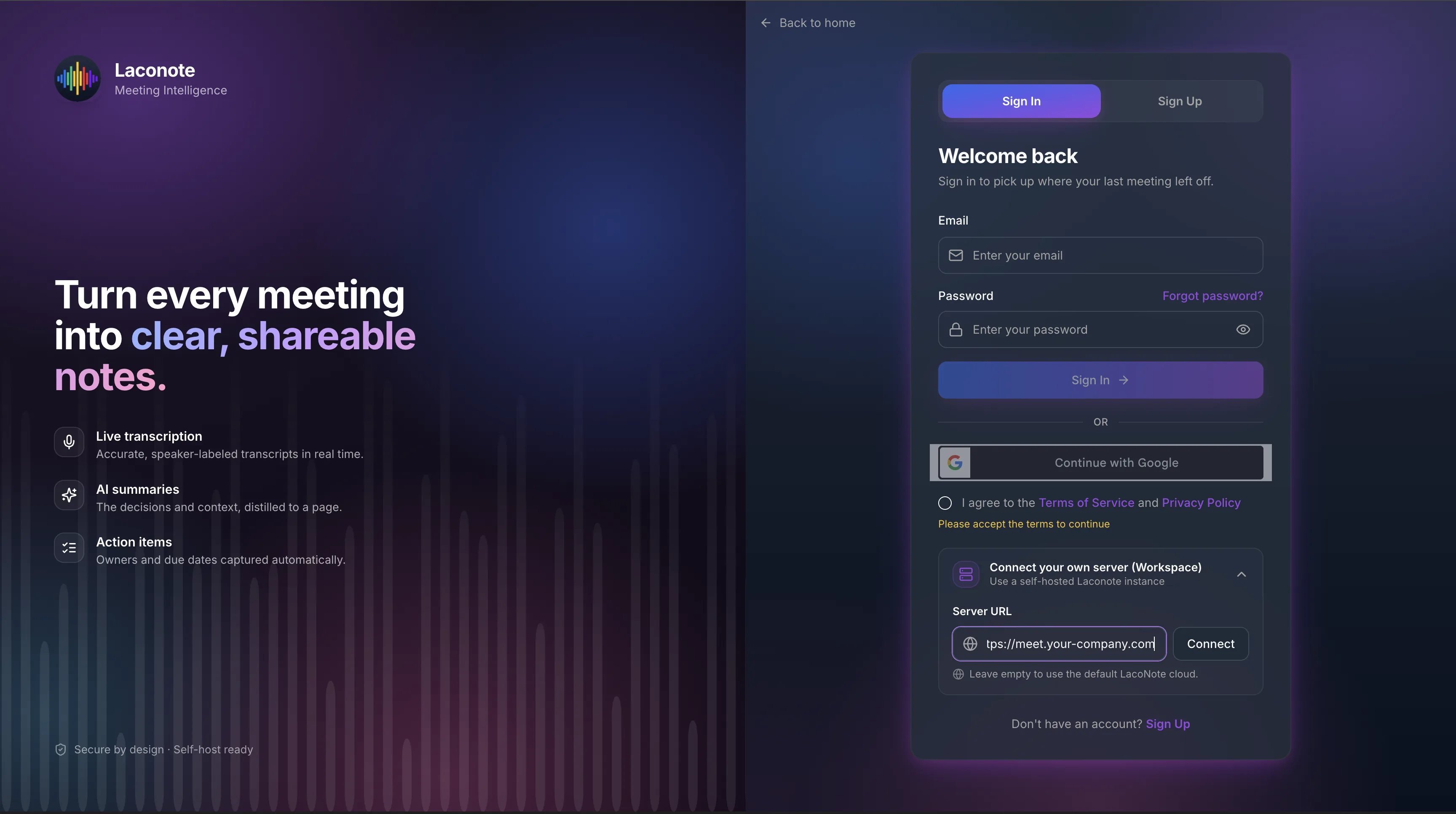
Self-hosted on your own server
Run Laconote inside your own perimeter. Point the web, desktop and mobile apps at your private backend with a single Workspace URL — your meetings never leave your infrastructure.
- Connect any app to your own server via the Workspace field
- Full data residency — keep recordings and summaries in-house
- Cloud convenience or on-premise control — your choice
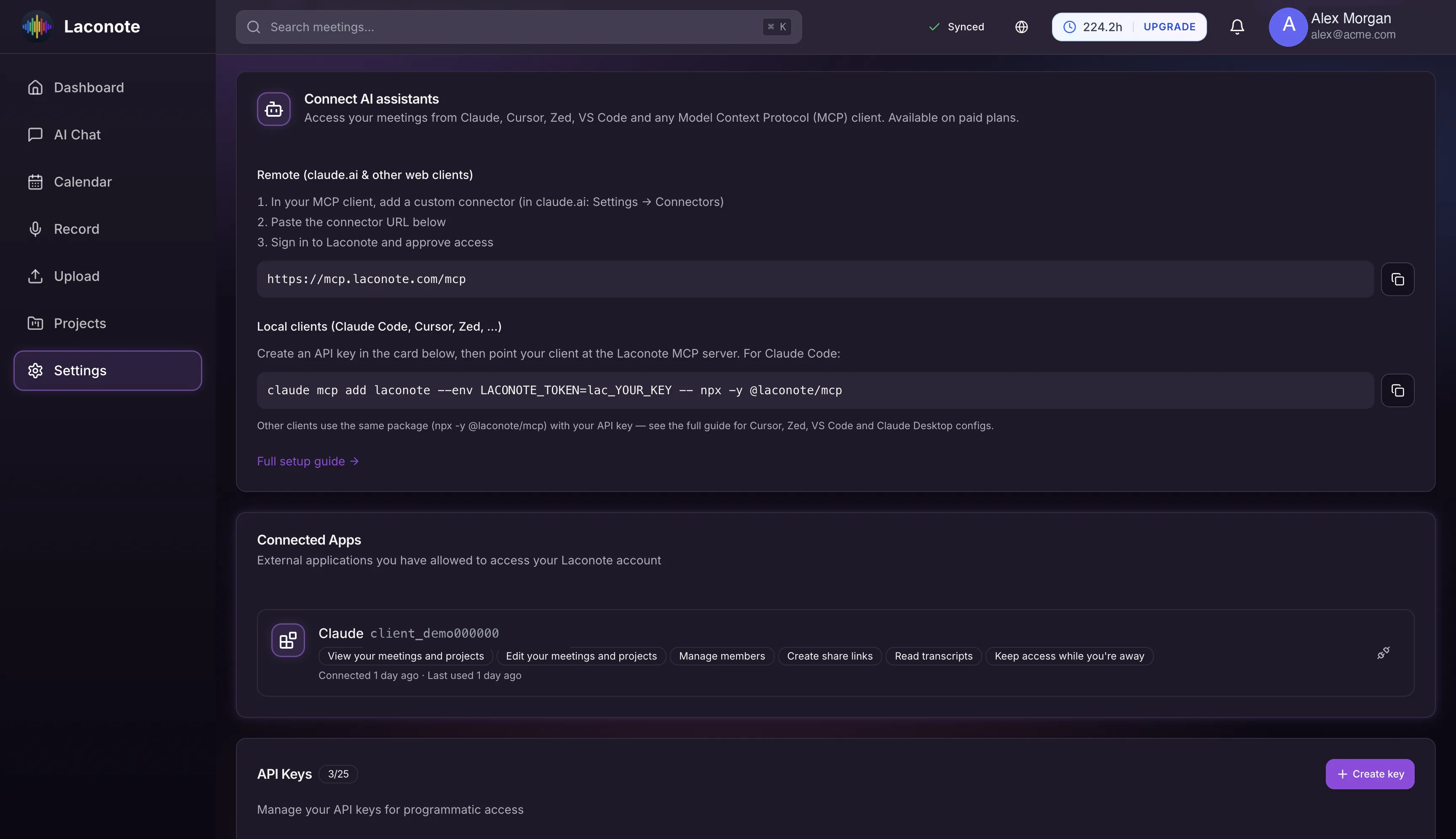
Connect Claude & any MCP client
Bring your meeting knowledge into Claude, Cursor, Zed and VS Code through the Model Context Protocol. Ask Claude about any meeting, project or decision — grounded in your own data.
- One-line setup for Claude Code, Cursor, Zed and more
- Remote connector for Claude.ai and other web clients
- Scoped API keys you control and can revoke anytime
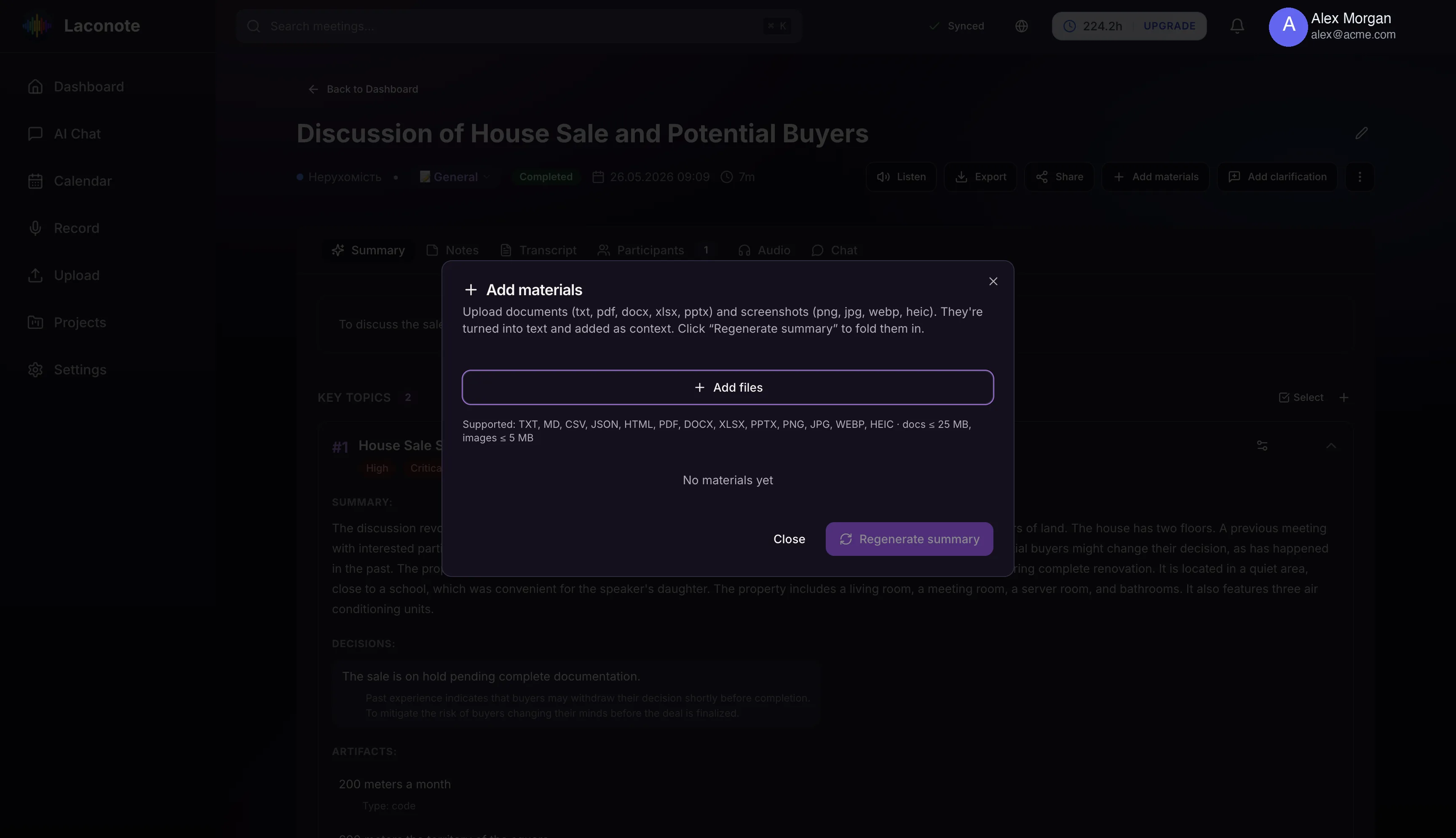
Add materials & clarifications
Drop documents, images and screenshots into any meeting and Laconote folds them into the summary. Add a quick clarification and the AI fixes the record — your corrections always stick.
- Attach PDF, DOCX, images and 10+ formats as context
- Clarifications are woven into the summary on regenerate
- Turn scattered notes into one authoritative recap
Explore the Knowledge Base
Learn how to get the most out of Laconote with guides, tutorials, best practices, and a comprehensive glossary of terms.
Simple, Transparent Pricing
Start free, upgrade when you need more. No hidden fees.
Trial
Try Laconote free forever
- 5h transcription/month
- AI-powered summaries
- Automatic action items
- Export to multiple formats
- All meeting types
- Project organization
- AI chat with your meetings
- Team Pulse analytics
- Documents & image materials
- Claude / MCP integration
- Chrome extension
Standard
For individual professionals
- 50h transcription/month
- AI-powered summaries
- Automatic action items
- Export to multiple formats
- All meeting types
- Project organization
- AI chat with your meetings
- Team Pulse analytics
- Documents & image materials
- Claude / MCP integration
- Chrome extension
Pro
For power users and consultants
- 100h transcription/month
- AI-powered summaries
- Automatic action items
- Export to multiple formats
- All meeting types
- Project organization
- AI chat with your meetings
- Team Pulse analytics
- Documents & image materials
- Claude / MCP integration
- Chrome extension
Team
One shared account, billing and seats for your whole team
- 150h transcription/month
- AI-powered summaries
- Automatic action items
- Export to multiple formats
- All meeting types
- Project organization
- AI chat with your meetings
- Team Pulse analytics
- Documents & image materials
- Claude / MCP integration
- Chrome extension
- Shared team billing
Enterprise
Custom solutions for large organizations
- Unlimited transcription
- Unlimited team members
- All Team features
- Custom integrations
- Dedicated support
- SLA guarantee
- On-premise deployment