Bring your meetings into Claude
Connect Laconote to Claude and any MCP client. Ask about any meeting, project or decision and get answers grounded in your own data.
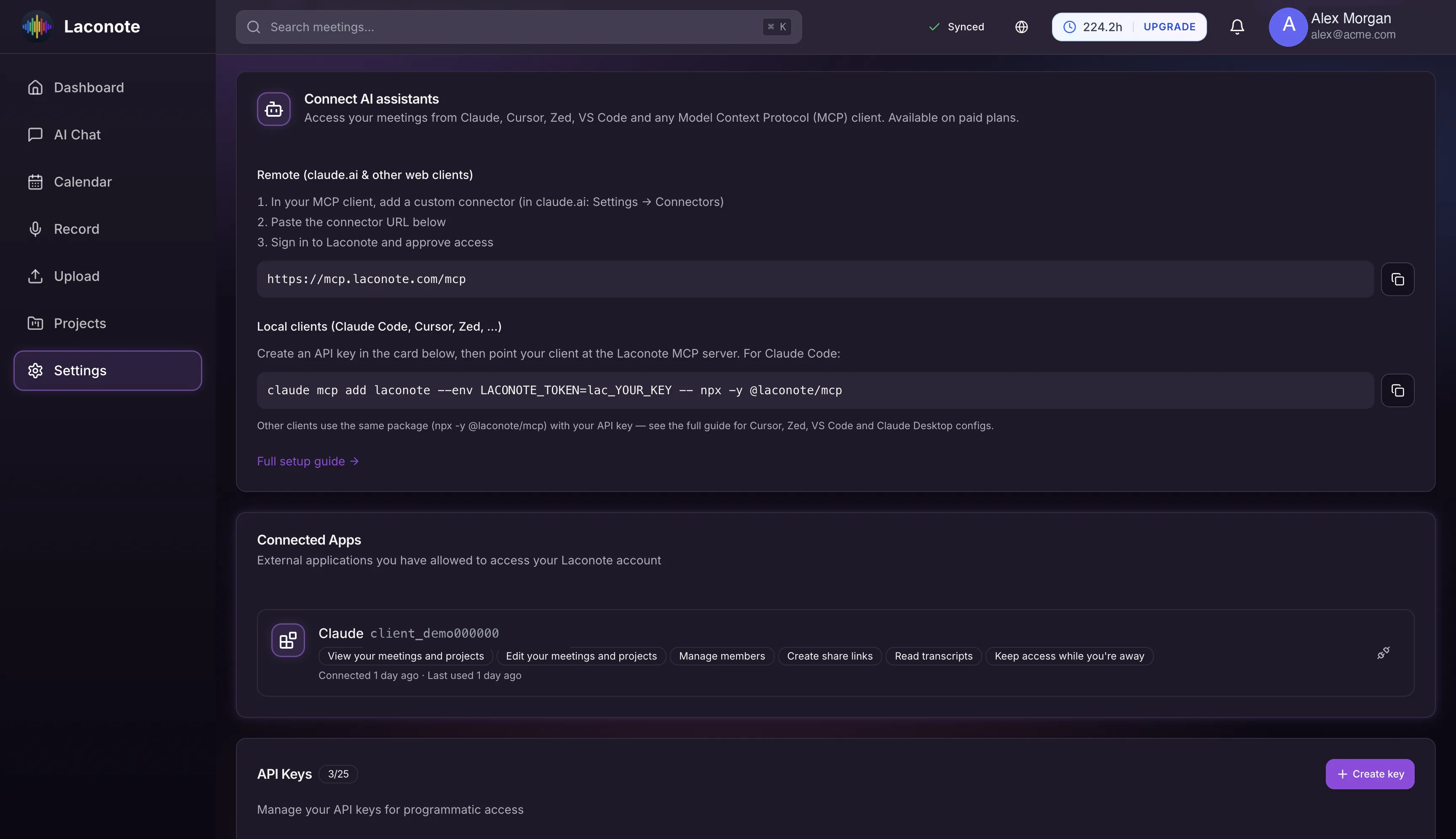
One-line setup
Add Laconote to Claude Code, Cursor or Zed with a single command.
Remote connector
Connect Claude.ai and other web clients through a hosted MCP endpoint.
Grounded answers
Claude answers from your meetings, projects and decisions — not guesses.
Scoped API keys
Issue keys with the exact permissions you want and revoke them anytime.
Your whole workspace
Search meetings, read transcripts, manage projects and share links from Claude.
Works on every plan
The MCP integration is available to all Laconote users.
How to connect Claude
Open Integrations
In Laconote settings, open Integrations and find 'Connect AI assistants'.
Add the connector
Copy the one-line command for your client, or the remote URL for Claude.ai.
Ask away
Approve access and start asking Claude about your meetings and projects.
Claude integration FAQ
Which clients are supported?
Any Model Context Protocol (MCP) client — including Claude, Claude Code, Cursor, Zed and VS Code. Claude.ai connects through a remote connector URL.
Is my data sent anywhere new?
Claude accesses your meetings through scoped API keys you control. You decide the permissions and can revoke access at any time.
Does this cost extra?
No. The Claude / MCP integration is available on every Laconote plan.
Put your meetings to work in Claude
Connect in seconds and ask Claude anything about your meetings.