Run Laconote inside your own perimeter
Self-host the entire stack and keep every recording, transcript and summary on your own infrastructure. Connect any Laconote app with a single Workspace URL.
Your data stays home
Recordings, transcripts and summaries never leave your servers.
One Workspace URL
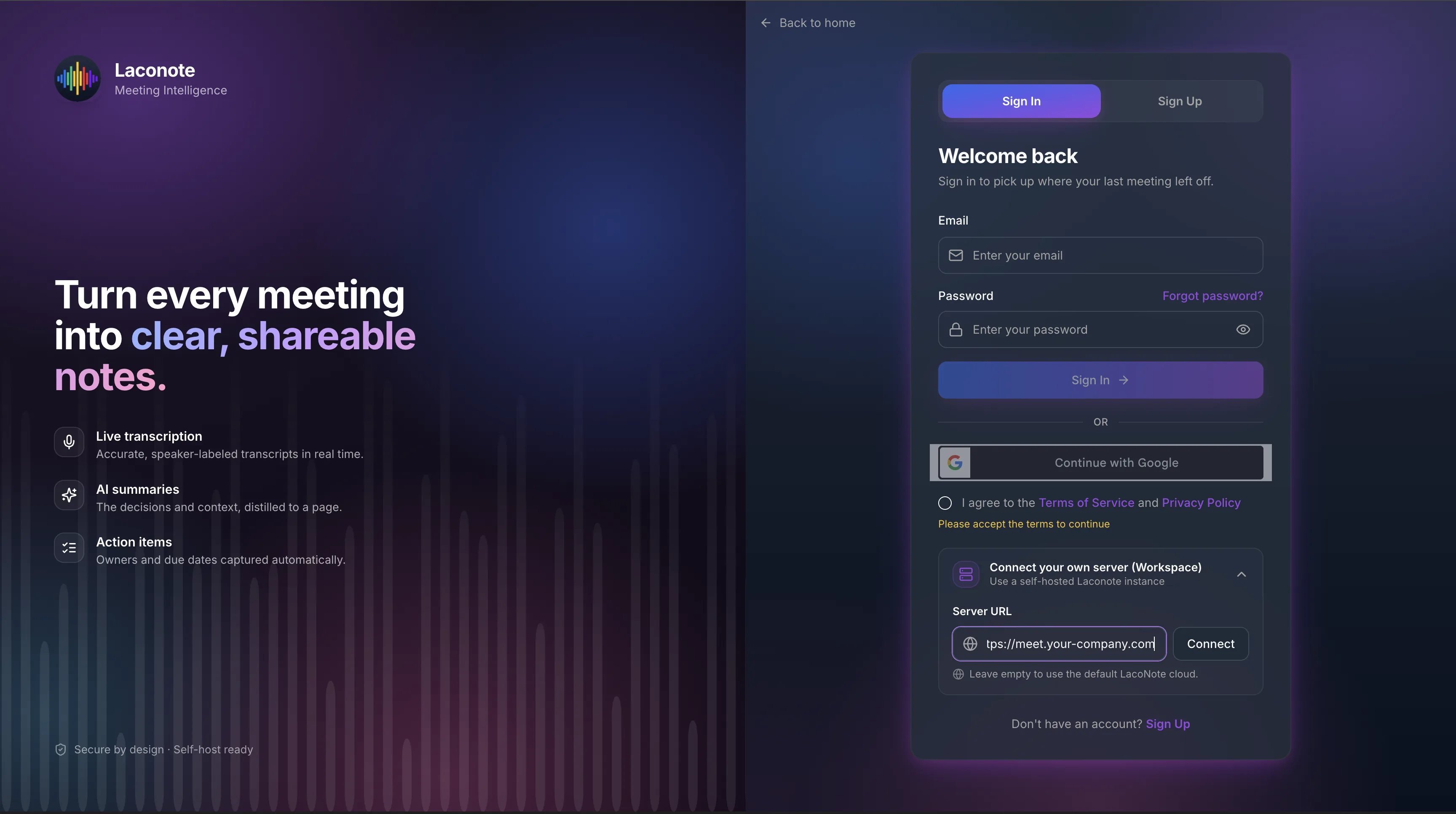
Point the web, desktop and mobile apps at your backend by entering a single URL.
Data residency
Meet strict compliance and residency requirements by keeping everything in-region.
Disable what you don't need
Turn off third-party integrations like Google or Telegram sign-in for air-gapped setups.
Same product, your perimeter
All the features of cloud Laconote, running on infrastructure you control.
Enterprise support
On-premise deployment ships with SLA and dedicated support on the Enterprise plan.
How self-hosting works
Deploy the backend
Run the Laconote backend on your own servers with Docker Compose.
Enter your Workspace URL
On any Laconote app's sign-in screen, expand 'Connect your own server' and paste your URL.
Work as usual
Your team uses the same apps — every request now goes to your private backend.
Self-hosting FAQ
What is a Workspace?
A Workspace is simply the URL of your self-hosted Laconote backend. Enter it once on the sign-in screen and the app talks to your server instead of the cloud.
Can I use the mobile and desktop apps with self-hosting?
Yes. The web, macOS desktop and mobile apps all support pointing at a custom backend via the Workspace field.
How do I get on-premise deployment?
On-premise deployment, SLA and dedicated support are part of the Enterprise plan. Contact us and we'll help you set it up.
Keep your meetings in-house
Run Laconote on your own infrastructure with full control over your data.