Bring your meetings into Gemini
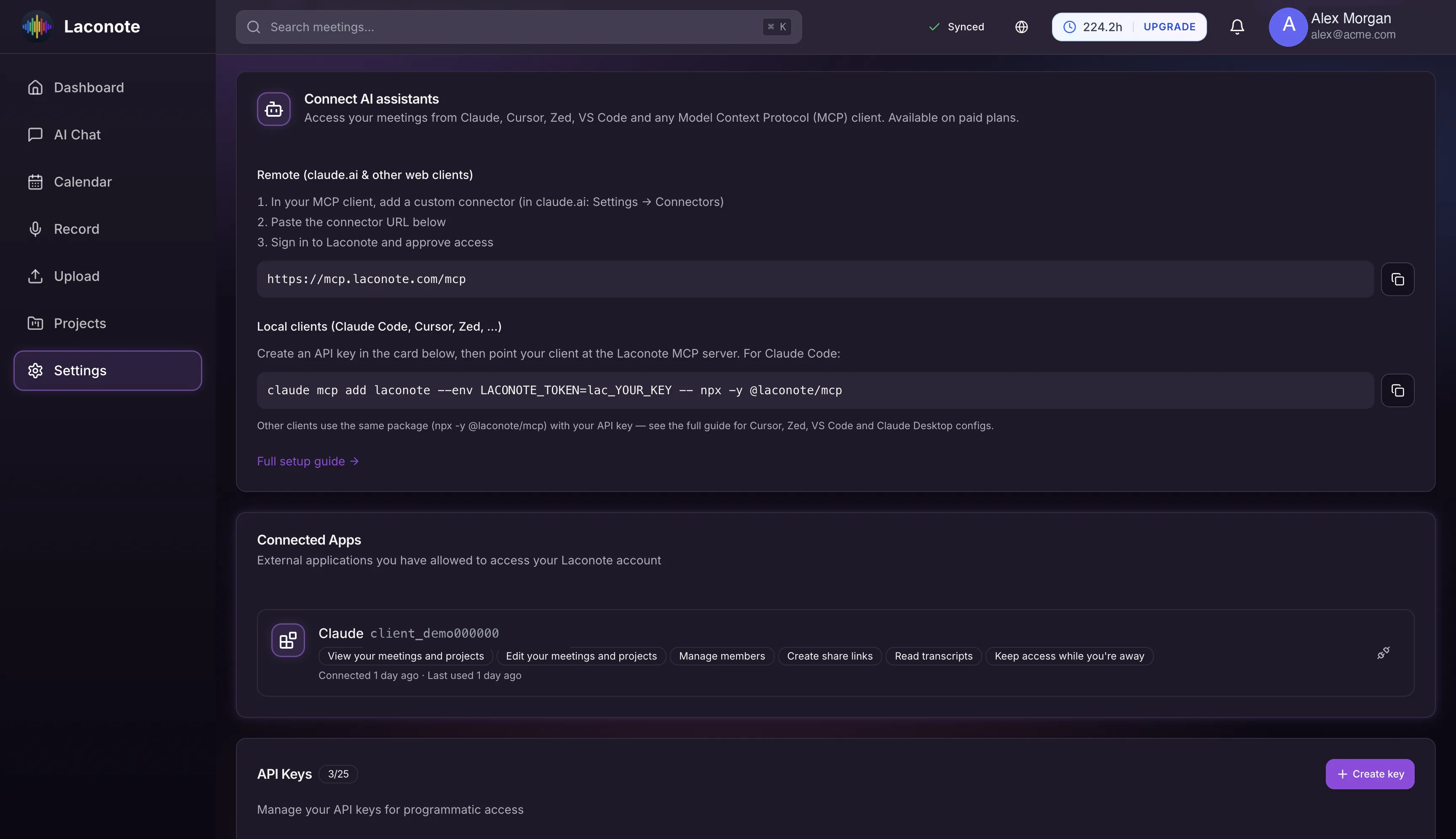
Connect Laconote to Gemini CLI over MCP — remotely via OAuth or locally with an API key. Ask about any meeting, project or decision, grounded in your own data.
Full MCP support
Gemini CLI speaks the Model Context Protocol end to end, remote or local.
Remote via OAuth
Point Gemini CLI at the hosted Laconote server; sign-in opens in your browser.
Local with an API key
Prefer a token? Run Laconote's MCP package locally with a scoped API key.
Grounded answers
Gemini answers from your meetings, projects and decisions — not guesses.
Scoped API keys
Issue keys with the exact permissions you want and revoke them anytime.
Works on every plan
The MCP integration is available to all Laconote users.
How to connect Gemini
Add the remote server
Run gemini mcp add --transport http laconote https://mcp.laconote.com/mcp and sign in via OAuth.
Or connect locally
Prefer a key? Run gemini mcp add laconote -e LACONOTE_TOKEN=lac_YOUR_KEY -- npx -y @laconote/mcp.
Ask away
Ask Gemini about your meetings, projects and decisions from the command line.
Gemini integration FAQ
Does the consumer Gemini app work?
Not yet — the consumer Gemini app doesn't accept custom MCP connectors. Use Gemini CLI, which supports MCP fully.
What about Gemini Notebooks?
Sync project context into Gemini Notebooks (NotebookLM) using Laconote share links and sources.
Does this cost extra?
No. The Gemini / MCP integration is available on every Laconote plan.
Put your meetings to work in Gemini
Connect Gemini CLI in minutes and ask anything about your meetings.