Bring your meetings into ChatGPT
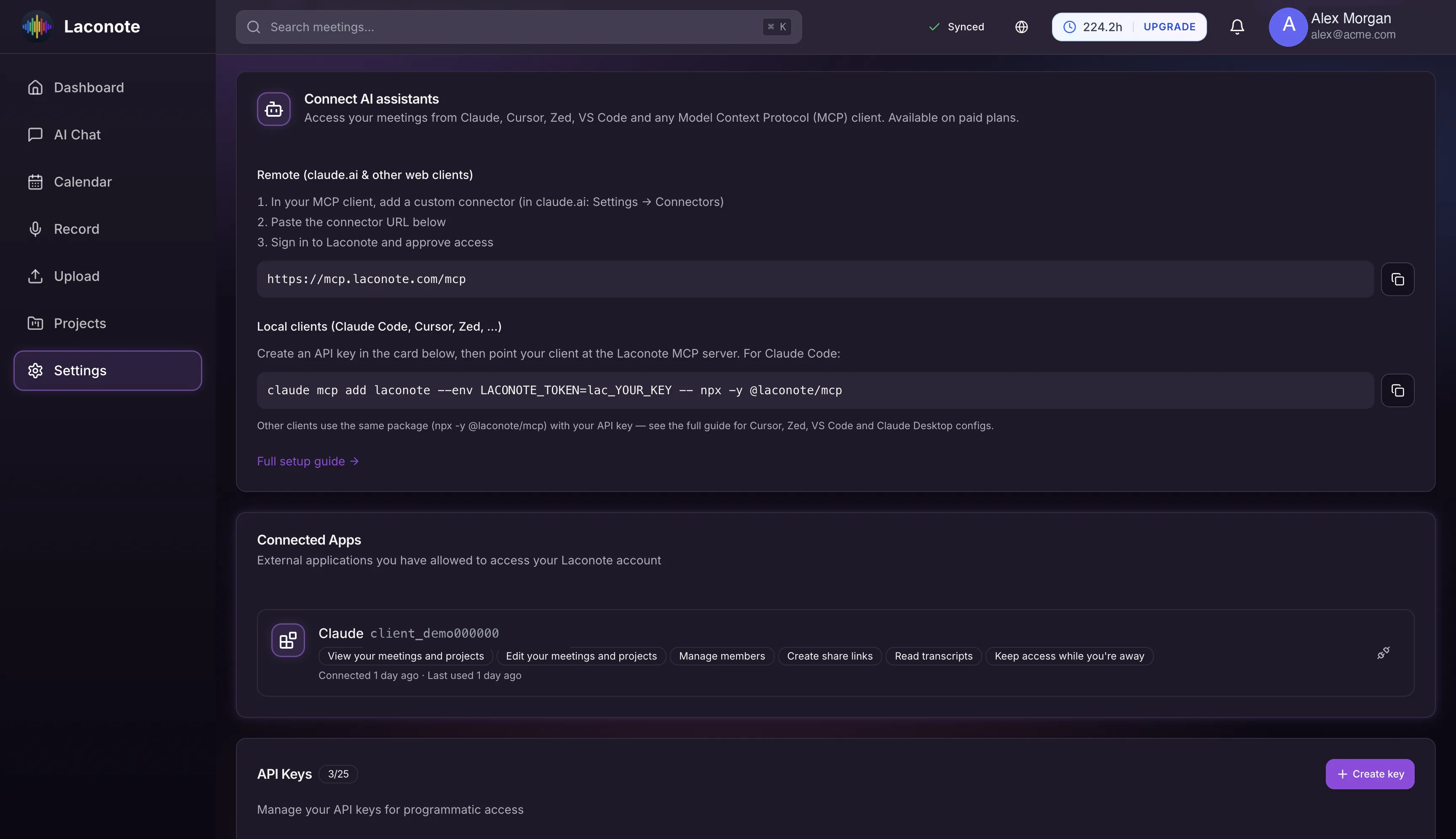
Connect Laconote to ChatGPT with a custom connector over MCP. Ask about any meeting, project or decision and get answers grounded in your own data.
Custom connector
Add Laconote to ChatGPT as a custom app over a hosted MCP endpoint with OAuth.
Read and write
With Developer mode, search meetings and manage projects; write actions ask for confirmation on each call.
Grounded answers
ChatGPT answers from your meetings, projects and decisions — not guesses.
Works without dev mode
Even without Developer mode, chat and deep research use the read-only search and fetch tools.
You stay in control
You approve access and can revoke the connector at any time.
Works on every plan
The MCP integration is available to all Laconote users.
How to connect ChatGPT
Enable Developer mode
In ChatGPT (web, paid plans) open Settings → Apps & Connectors → Advanced and turn on Developer mode.
Create the app
Choose Create app and paste the Laconote connector URL https://mcp.laconote.com/mcp.
Sign in and ask
Sign in to Laconote, approve access, and start asking ChatGPT about your meetings.
ChatGPT integration FAQ
Do I need Developer mode?
Full read and write tools require Developer mode, available on ChatGPT Plus, Pro, Business and Enterprise on the web. Without it, chat and deep research still use the read-only search and fetch tools.
Can ChatGPT change my data?
Only with your confirmation: write actions always ask before they run, and you can revoke access at any time.
Does this cost extra?
No. The ChatGPT / MCP integration is available on every Laconote plan.
Put your meetings to work in ChatGPT
Connect in minutes and ask ChatGPT anything about your meetings.